How to Run Mineflayer Bots on a VPS
Install a Mineflayer worker on a Linux VPS, keep it running with systemd, and put it behind HTTPS.
· 6 min read
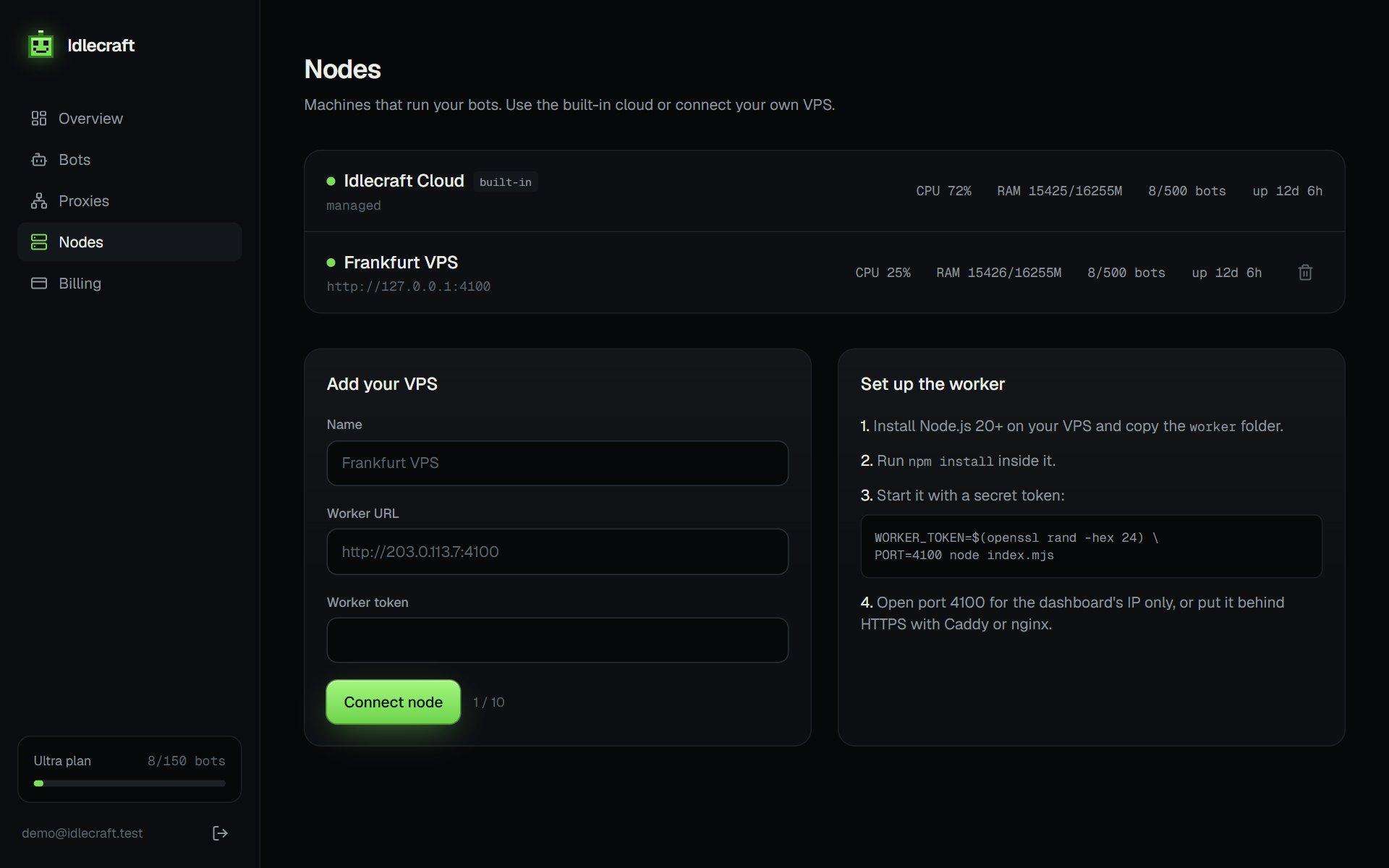
A small VPS is enough to keep a fleet of idle bots online. This walks through the setup for the MineBots worker, and the same steps apply to most Node.js bot processes.
What you need
- A Linux VPS with 1 to 2 GB of RAM
- Node.js 20 or newer
- A long random token that protects the worker API
- An open port, or a reverse proxy in front of it
Install and start
cd minebots/worker
npm install
WORKER_TOKEN=$(openssl rand -hex 24) PORT=4100 node index.mjs
Save the token somewhere safe. The dashboard needs it, and every request to the worker must send it as a bearer token.
Keep it running with systemd
Running it in a terminal stops when you log out. A systemd unit starts it on boot and restarts it after a crash.
[Unit]
Description=MineBots worker
After=network-online.target

[Service]
WorkingDirectory=/opt/minebots/worker
Environment=WORKER_TOKEN=replace-with-your-token
Environment=PORT=4100
ExecStart=/usr/bin/node index.mjs
Restart=always
User=minebots

[Install]
WantedBy=multi-user.target
Enable it with systemctl enable --now minebots. The worker writes the list of running bots to disk, so after a reboot it starts them again with a delay between each join.
Put it behind HTTPS
The token travels with every request, so do not expose the port over plain HTTP on the open internet. Put Caddy or nginx in front with a certificate, or limit the port to the dashboard server's IP in your firewall.
Watching capacity
Idle bots are light, while plugins that pathfind, farm or fight use more CPU. Watch the CPU and RAM numbers on the Nodes page and add a second VPS when they stay high.
Updating the worker
Pull the new version, install any new dependencies and restart the unit. Because the worker restores its bots from disk after a restart, you do not need to start them again by hand.
Troubleshooting
- The dashboard cannot reach the node: check the port, the firewall and the token
- The service stops after logout: use systemd instead of a terminal session
- Bots join but leave at once: read the kick text in the console
- CPU stays high: reduce pathfinding plugins or add a second node
Run your first bot in two minutes.
Get my bots online